Healthcare Communications Agencies
Speed up pre-MLR, PAAB, and OPDP checks across promotional decks, detail aids, and client revisions without bottlenecking senior writers.

Find every claim in your slide deck or manuscript, verify it against your own references, fill missing citations with Auto-Cite, and annotate reference PDFs—while you make every judgment.
Free for 14 days with 1,000 AI Processing Credits. No payment details are needed, and the trial never turns into a paid subscription.
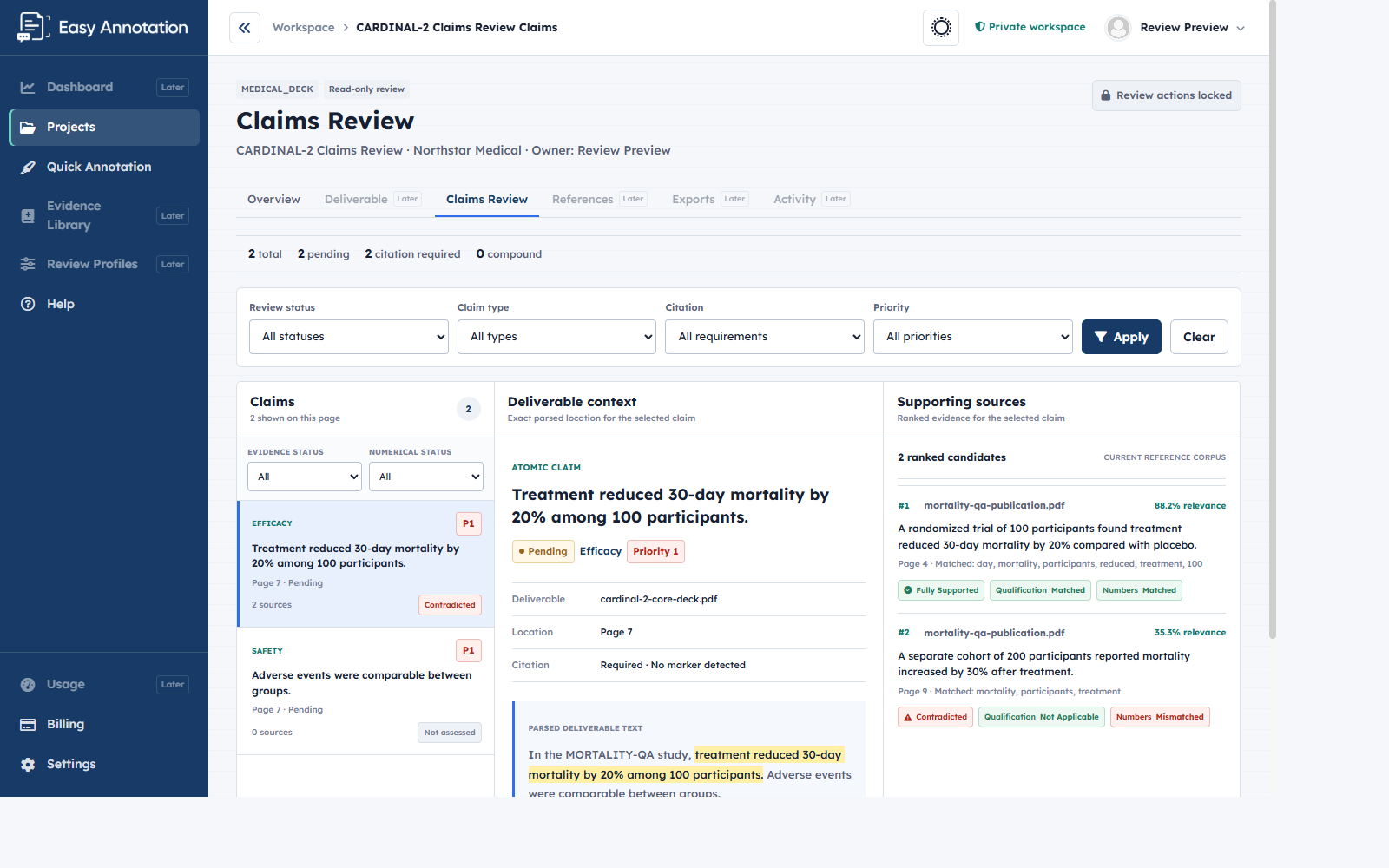
Illustrative workspace with synthetic demo data, not a completed customer review.
Speed up pre-MLR, PAAB, and OPDP checks across promotional decks, detail aids, and client revisions without bottlenecking senior writers.
Keep scientific platforms, advisory board decks, and medical education symposia anchored strictly to approved clinical publications.
Turn around cleaner, fully substantiated deliverables on tight agency timelines—spending hours on science instead of PDF hunting.
Whether you are rescuing an unreferenced client draft or running final quality control before regulatory review, Easy Annotation matches the way promotional and medical education writers actually work.
“A client sends a deck that has missing references and unsupported claims.”
Upload the client’s draft deck alongside your reference folder. Easy Annotation extracts every efficacy, safety, and statistical statement, flags unsupported claims, and surfaces exact source passages—including contradictions and missing qualifiers.
“A large deck needs a QC check to ensure all claims are supported.”
Check a 60-slide symposium or promotional deck against its cited literature in one structured workspace. Verify exact percentages, confidence intervals, populations, endpoints, and study qualifiers side by side before submission.
“A deck with missing references needs a QC and an auto-cite.”
Match uncited claims to your uploaded Evidence Library, verify that each source actually supports the statement, approve every citation placement, and generate cited copies of your deliverable as DOCX, PPTX or PDF, along with a reference list.
“Review needs a clean highlighted reference pack before end of day.”
Open Quick Annotation whenever you just need clean annotated references. Highlight exact passages directly on PDFs, apply consistent citation labels, organize client folders, and export review-ready copies without using AI Processing Credits.
Keep the claim, its exact slide or manuscript context, and potential supporting evidence visible in one unified workspace.
Organize your PPTX, DOCX, or PDF deliverable and its supporting literature inside one private project workspace.
Read slides, tables, paragraphs, and speaker notes to extract source-linked claims without altering your original files.
Search only the uploaded project references and preserve exact page numbers and verbatim supporting passages.
Compare support, contradiction, qualification, and numerical results, approve placements, and export cited copies ready for review.
A relevant paper does not automatically substantiate a claim. Easy Annotation surfaces conflicting passages, missing population qualifiers, and numerical discrepancies so medical writers and reviewers make every final call.
Built for promotional medical writers, medical education directors, scientific editors, and healthcare agency teams who need an auditable chain from claim to source and a deliberate human checkpoint at every step.
Start your 14-day free trial with 1,000 AI Processing Credits—no credit card required.